


Earlier this month, Daytona held one of its Hacksprints, where the challenge was to build agents that present sharp reasoning, independent decision-making, and safe integration with industry-relevant tools. I joined with the goal of building something new and weird that used Daytona, Browser Use, and the new Claude Code SDK, as each brought a unique superpower to the table:
Daytona: instant, isolated development environments at scale
Claude Code SDK: autonomous coding agents that can plan and execute small to medium tasks
Browser Use: agents that can navigate the web and complete instructions in real time
While experimenting, I had a small breakthrough. Browser Use agents are originally meant for completing some pre-defined tasks - “Go to X url, scrape Y data”. But what if the value wasn’t in the output, what if it was in the process? What if, instead of focusing on what the agent returns, we focus on how it thinks, the steps it takes, the reasoning behind every click and choice?
That's when it hit me, we can simulate real user behaviour through browser agents, and even capture their decision-making patterns along the way. Using Daytona, Claude Code, and Browser Use, I realized it was possible to replace the traditional A/B testing workflow entirely. The result is A/B GPT, an autonomous testing platform that doesn’t just measure results, it runs the experiments itself.
A/B GPT automates the entire improvement loop that most teams handle manually:
Start with your existing project and codebase.
Identify a feature or issue to improve, such as users struggling to filter products.
Simulate user journeys through that part of the app using Browser Use agents.
Collect logs that describe what the agent did and why.
Analyze that reasoning to find friction points or confusion.
Use Claude Code in a Daytona sandbox to apply targeted improvements.
Spin up new versions and test them again with simulated users.
Measure progress toward the original goal, then loop from the best version if needed.
In practice, this replaces the full manual cycle of A/B testing, feedback collection, and code iteration with a continuous, automated process that can run on its own.
How it Works
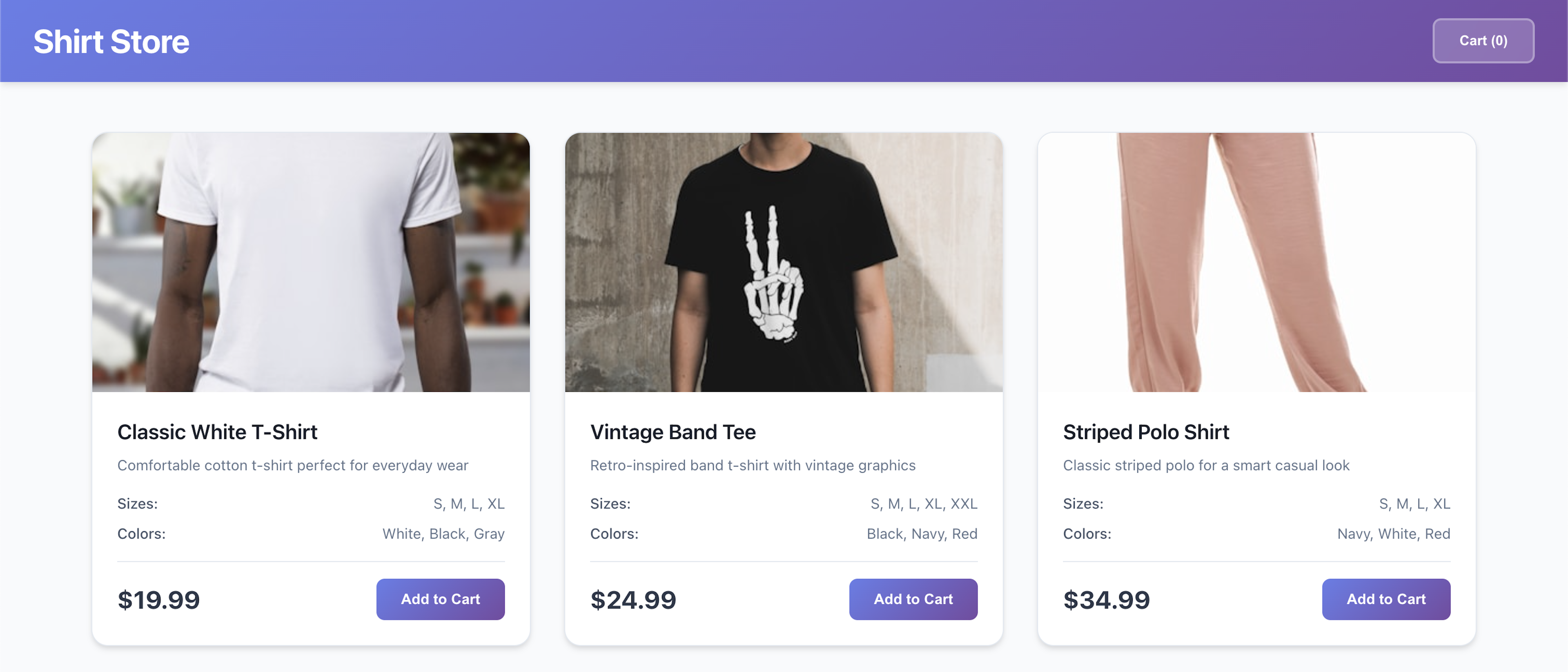
For the hackathon, I kept the scope small so I could focus on the idea itself. I built a simple fake ecommerce website repository using React and Vite. The website only shows a grid of products from a local JSON file, and on purpose, I left out any way to filter products by price, category, or size. That missing feature made it a good test case for A/B GPT. The challenge was to see if the system could notice the problem, suggest a fix, write the code, and deploy a new version automatically inside Daytona.
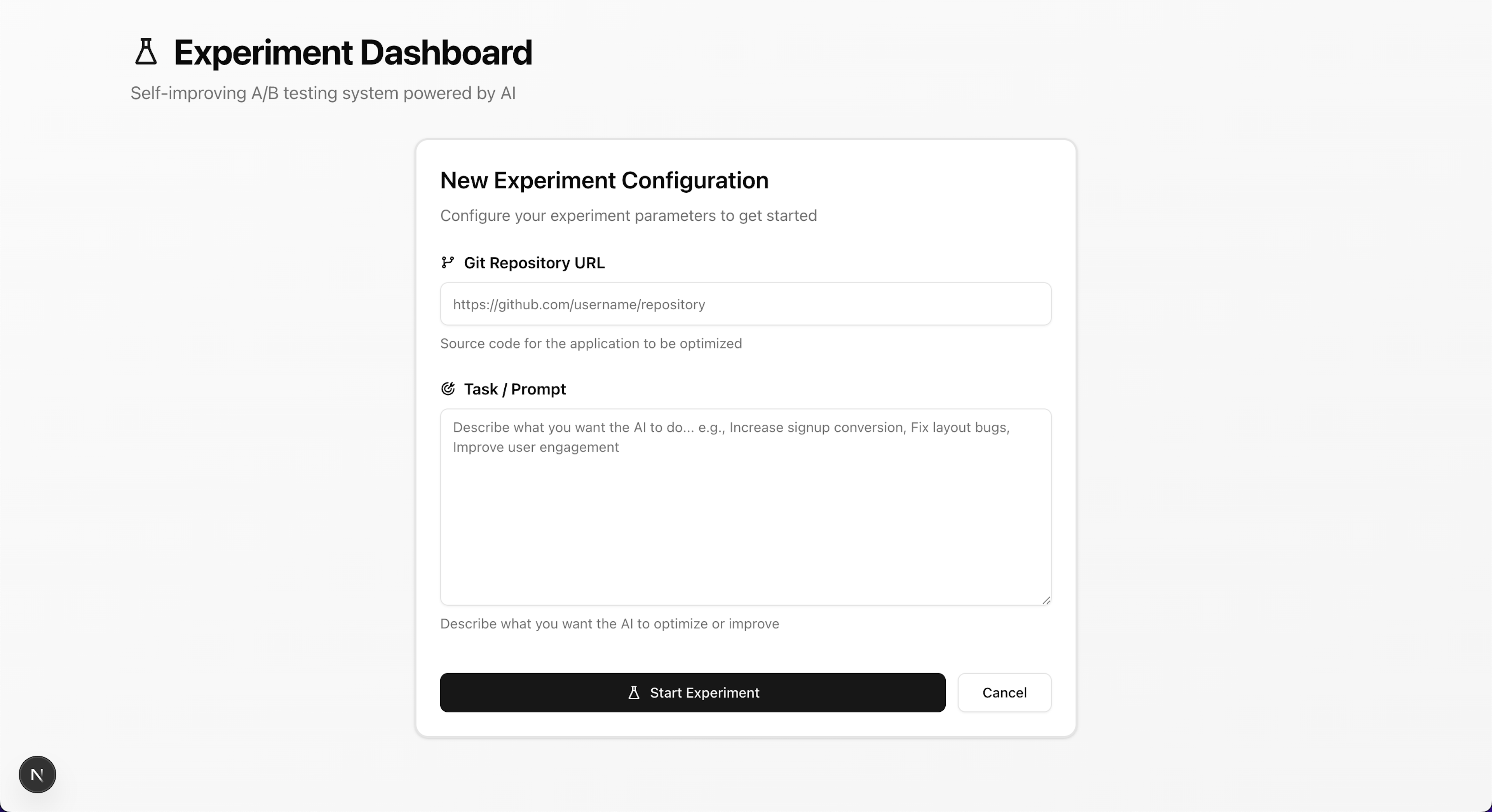
Once the basic ecommerce site was running, I built a small frontend to control the experiment. It had two fields: a GitHub repository URL and a short text description of the target issue to fix. For the demo, I used the ecommerce repository and entered the prompt “users are complaining they can’t filter products.”
When the user submits the form, the backend creates a fresh Daytona sandbox and clones the repository into it. Each experiment runs in its own isolated environment, completely separate from the main codebase. The sandbox handles dependency installation, starts the local development server, and returns a public preview URL with the ecommerce site running and ready for testing.
Once the sandbox is ready, it returns a public URL that the Browser Use agents can navigate to. The next step is to give the browser agent a specific task to complete on the site. To do this, I use a technique called meta-prompting, which means asking another LLM to generate a natural, realistic prompt for the agent based on the goal of the experiment.
This would come up with a prompt like:
“Visit the website and imagine you're shopping for a specific type of item, perhaps something for your home. Browse through different product categories to get a feel for what's available. As you explore, try to narrow down your search to find exactly what you want. See if there are any options to filter the products by things like price, size, or other characteristics. Pay attention to how easy or difficult it is to find what you're looking for, and document any observations about the filtering capabilities of the site.”
From here, I spawn a browser agent using Browser Use Cloud, setting the starting URL to the sandbox’s public preview link. The agent runs the generated task from start to finish, exploring the site as a real user would. When I inspect the trace afterward, I can see how it struggles to find any filter options and documents that frustration step by step.
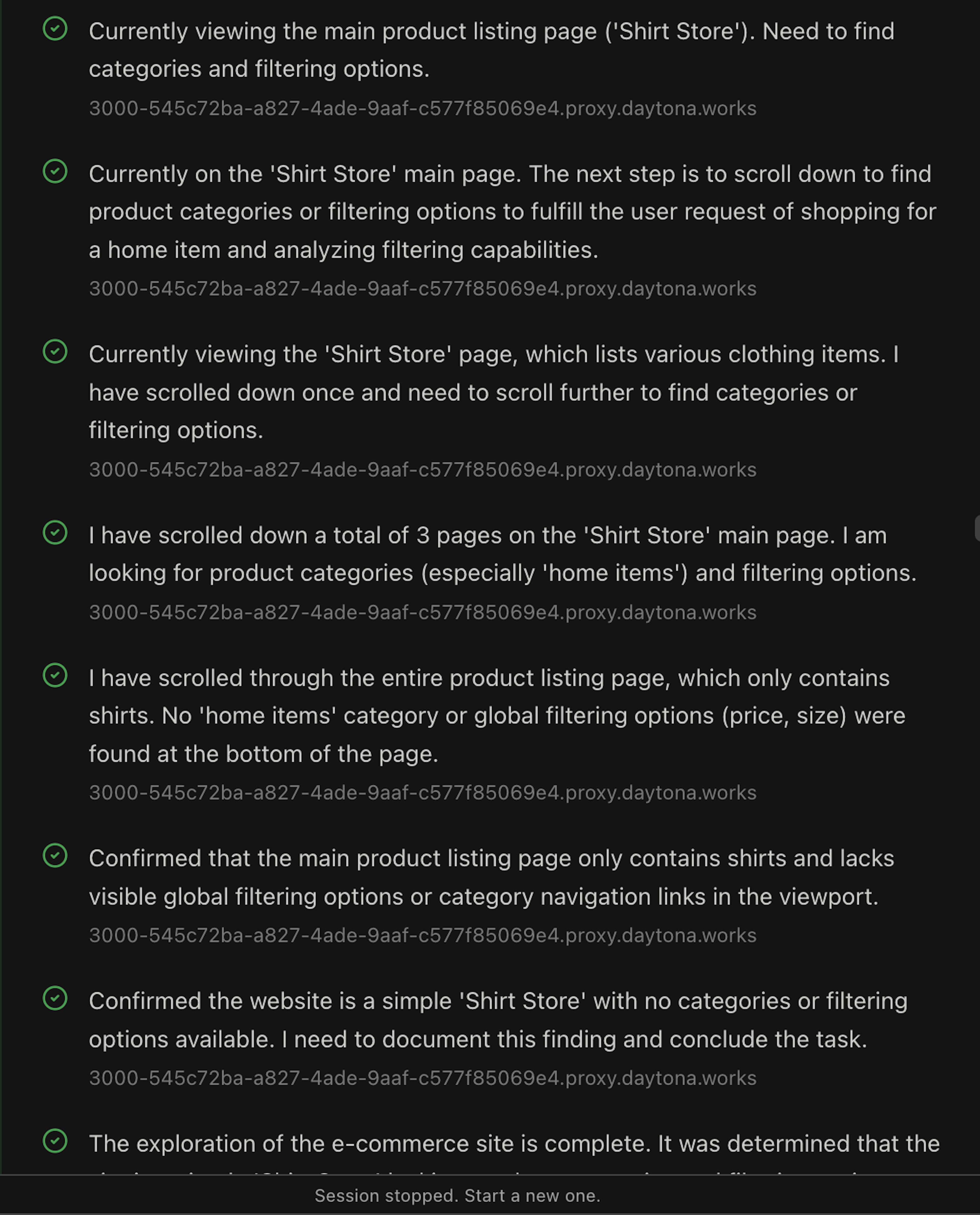
At this point, I take the browser agent logs and feed them into an LLM with a large context window, such as Gemini, to analyze the browsing experience in detail. I make two LLM calls in this step. The first summarizes the logs into a more readable format, listing what worked well and what caused problems. The second generates a set of variant suggestions, which are potential fixes or improvements based on the issues the agent encountered.
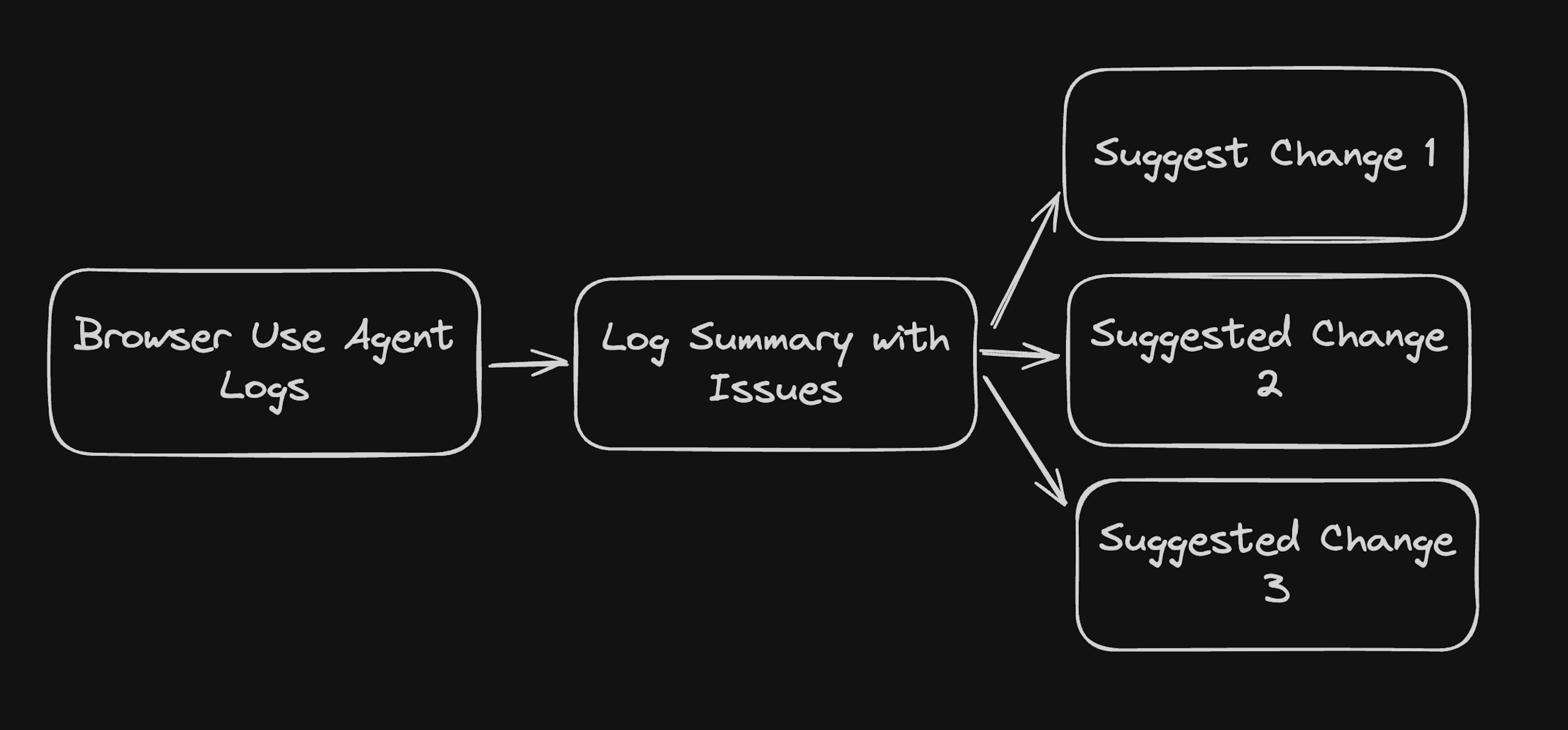
Now the real work begins. For each suggestion, the system creates a new Daytona sandbox using the original repository and exposes a fresh public preview URL. Inside each sandbox, a Claude Code agent is launched with the task of implementing the proposed feature. Because the Claude Code instance operates in the same environment as the running development server, the preview URL updates automatically once the changes are applied.
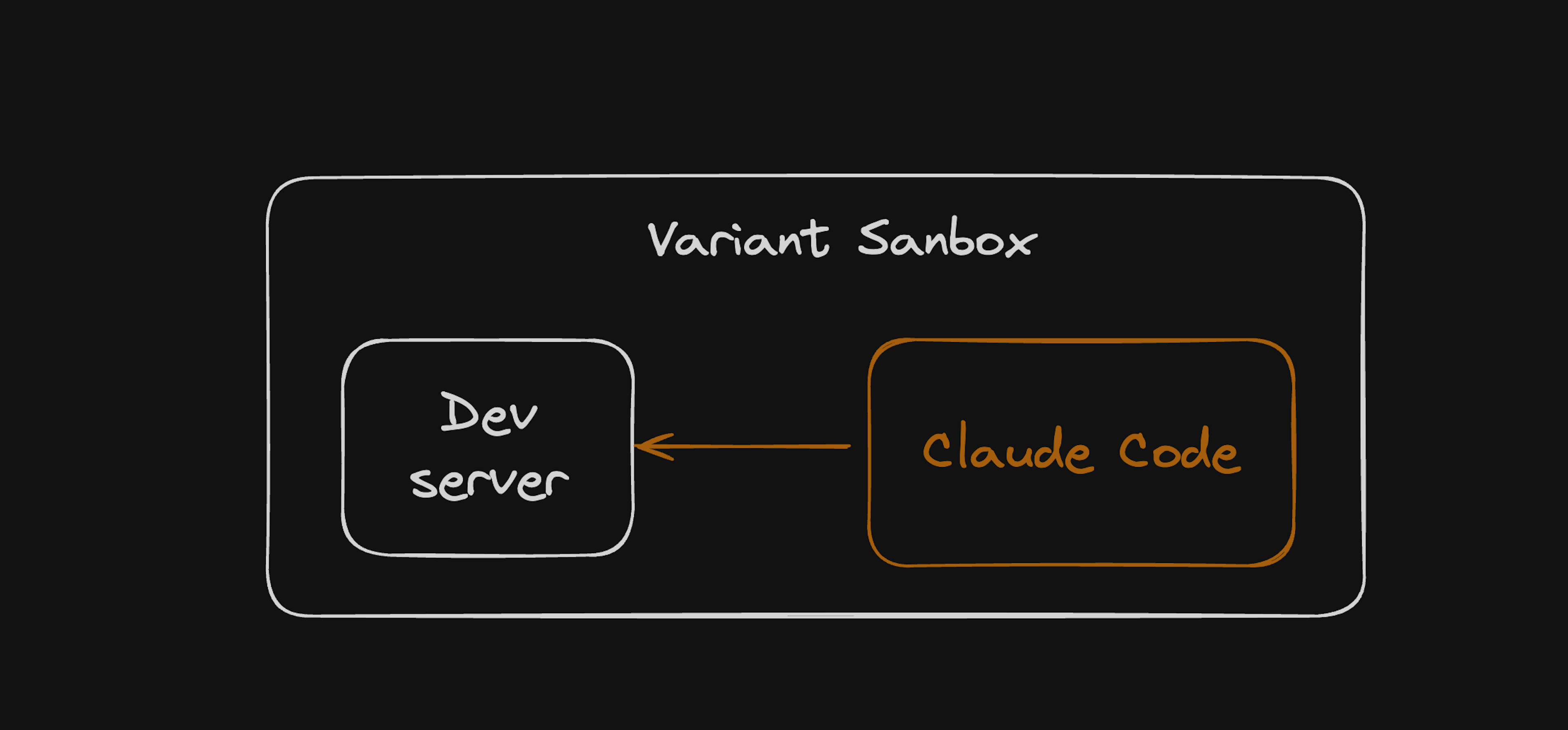
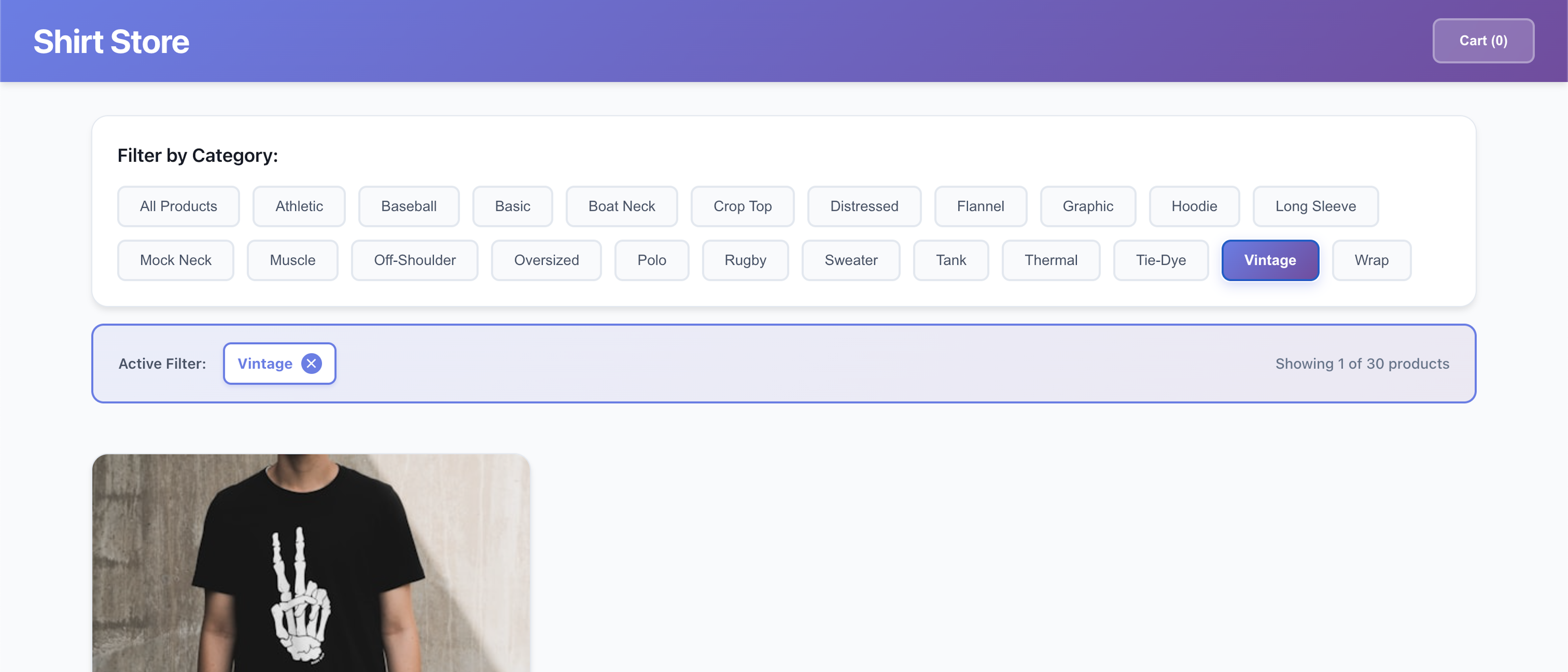
For example, one of the variant suggestions was to implement:
“Add a row of filters at the top of the page with category options, allowing users to quickly narrow down the products they see.”
After Claude Code is done making its changes, we can preview the changes from the sandbox via its public URL. We can see in the image, it did implement the changes (even though it may not look the best).
Where I Stopped & What else I left
This is as far as I managed to get during the hackathon. The actual hacking time was only about five hours, so I focused on getting the full loop running up to the point where the first variant was generated and deployed.
What’s still left to build is:
Add another Browser Use agent to run the same task on the new variant preview.
Analyze the new reasoning logs to see whether the problem was fixed and which version performed best.
Automatically open a pull request for the winning variant, including a summary of what was changed and why.
Results
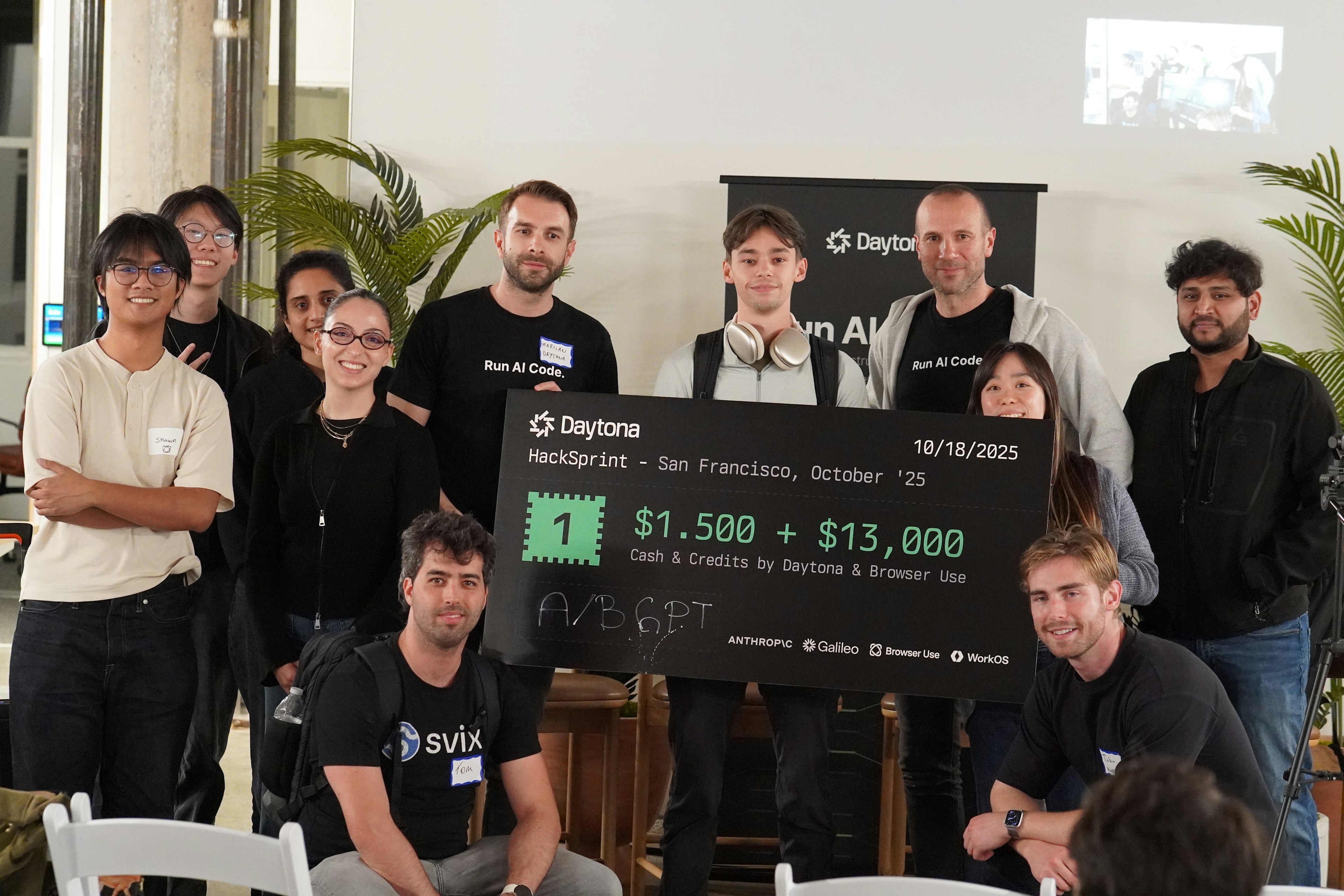
I was lucky enough to receive the first-place prize in the Hacksprint, along with Best Use of Browser Use for A/B GPT. I want to thank Daytona, Browser Use, Galileo, and Anthropic for sponsoring the event, and WorkOS for providing the office space where everyone could build together.
This project made me realize how interesting the new generation of AI primitives has become. Tools like Browser Use, Claude Code, and Daytona open up entirely new ways to build and experiment. If you’re into this kind of work or want to follow what I build next, you can find me on X at @rogutkuba.